Picture this. You get an email with a suspicious subject line, maybe something like “Yoour EZ Pass has Expired!” or “Click here to win a $100 amazon gift card!” You probably know already that it’s a phishing email from the subject. Or maybe you think it feels a little weird, so you do some more digging. Maybe you look at the sender, or check for typos — all great things to do, which you can read more about here! You get to the end of the email, and you’re sure that this is a phishing email. And yet, you get to the a link at the bottom of the email… and you click it.
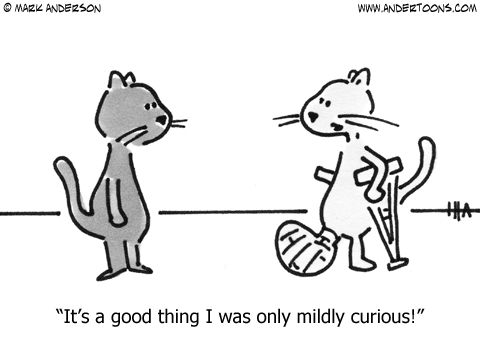
Does this sound like you? You might not want to admit it, but lots of people follow these behaviors. Maybe when the simulated phishing message got sent out a few weeks ago you guessed that it wasn’t a real phishing message, and you were just curious where the link led, or maybe you’ve done it with a real message. Curiosity is a natural reaction to these types of messages, especially when it is ambiguous if it’s real or not. Sometimes you might find yourself thinking that it can’t be that bad to just find out where the link closes, or that you’ll just close it quickly if it ends up leading where you don’t expect it. However, even though it can be tempting to find out, this is still not a great idea.
While most phishing messages you get will not be very complicated and will rely on you supplying your information (which is why you should never respond to suspicious emails or fill out forms they provide), some phishing messages are far more malicious and fast acting. For instance, a more involved phishing scheme may create a website that seems to be a legitimate website, and may trick you into thinking that the email is real after all. Other times links can be set up to download a virus onto your computer without you even knowing. Because of this, you should never click on a link in a phishing email!
Despite this, don’t feel bad if you are a curiosity clicker, or if you’ve been one in the past. A lot of curiosity clickers are the people who know the most about phishing and cybersecurity! It can be super interesting to find out how a specific phishing message works, or just to see what will happen. However, there are much safer ways to learn about these things. Try looking up the phishing message you got; there’s a good chance others have gotten something similar and can explain it to you. Or try finding online courses about phishing and cybersecurity to learn more formally about the topic. There are even ways that you could potentially safely open the link that resources online can teach you about.
Curiosity clicking is a super normal reaction to phishing messages, but remember, the safety of your information is more important than finding out where a link leads!
P.S. Interested in seeing where a link leads without clicking on it? Read this Tip of the Week next: Cybersafety Tip: Hovering Over Links